Your Suno songs.
On Spotify.
Suno to Spotify is a browser extension that turns any finished Suno song page into a real streaming release. One click sends it to Spotify, Apple Music and 20+ stores. $2 per AI release, 100% royalties, forever.
Chrome · Edge · Brave · Arc · Atlas · Dia
How it works
Install the extension
Add Suno to Spotify from the Chrome Web Store. One listing covers Chrome, Edge, Brave, Arc, Atlas and Dia. It only ever runs on suno.com and the AIMD app.
Open your Suno song
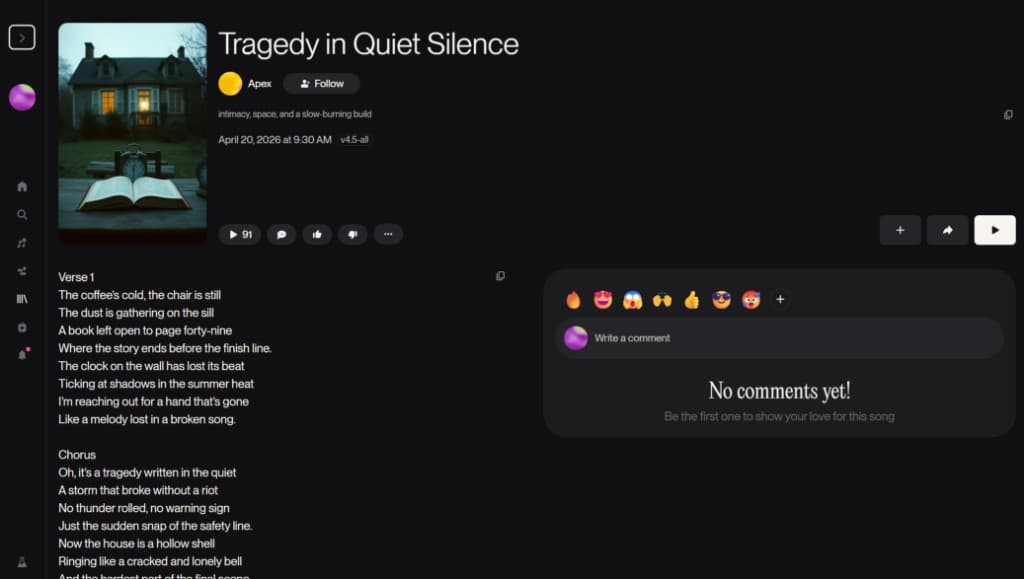
Go to any finished song on suno.com and click the icon in your toolbar. Audio, cover art, title, artist and lyrics import automatically — no downloads, no re-uploading WAVs.
Send it to Spotify
One click hands the song to AIMD, which creates the ISRC and UPC and delivers to Spotify, Apple Music and 20+ stores in 24–72 hours. $2 once, 100% royalties.
◉ Imported straight off the song page
- Audio
- Cover art
- Title + artist
- Lyrics
- ISRC + UPC, auto-created
Spotify and
20+ stores.
- Spotify
- Apple Music
- Amazon Music
- YouTube Music
- Tidal
- Deezer
- Pandora
- SoundCloud
- + more
◉ Pricing
Pay once.
Keep 100%.
AI release
$2
Per Suno or AI-generated track. One-time fee.
Human release
$1
Per human-made track. Same store network.
The extension is free. You pay when you release: $2 once per AI song, then every streaming royalty is yours. No subscription to cancel, nothing that renews.
Frequently asked questions
How do I put a Suno song on Spotify?
Install the Suno to Spotify extension from the Chrome Web Store, open your finished song on suno.com, and click the extension icon. It imports the audio, cover art, title, artist and lyrics, then AIMD creates the ISRC and UPC and delivers to Spotify and 20+ stores within 24–72 hours.
Is the Suno to Spotify extension free?
Yes, the extension is free. Distribution costs $2 once per AI release, paid in the AIMD app when you send a song to stores. No subscription, no renewal fees.
Do I keep the royalties?
Yes. 100% of streaming royalties go to you, forever. AIMD takes no revenue share — the one-time $2 fee is the entire cost.
Which browsers does it work in?
Every Chromium-based browser: Chrome, Edge, Brave, Arc, and the agentic browsers Atlas and Dia — all from the same Chrome Web Store listing. Safari is in review; Firefox is on the roadmap.
Can I monetize songs made with Suno?
Songs made on a paid Suno plan come with commercial-use rights and can be monetized on streaming platforms. Songs made on Suno's free tier are licensed for non-commercial use. If you hold the rights, AIMD delivers the release and routes 100% of royalties to you.
How long until my song is live on Spotify?
Most releases are live on Spotify within 24–72 hours of submission. Apple Music, Amazon Music, YouTube Music and the other stores ingest the same release on their own schedules.
Is Suno to Spotify affiliated with Suno or Spotify?
No. Suno to Spotify is an independent tool powered by AIMD (AI Music Distro), not affiliated with or endorsed by Suno, Inc. or Spotify AB. It reads your own finished songs from your own Suno account and distributes them through AIMD.
Powered by
AIMD by
Suno to Spotify is the browser extension for AIMD — AI Music Distro, the ethical AI music distributor. Your releases, stats and royalties live in your AIMD account, and distribution runs on ONCE, backed by the Artist Compensation Fund. Already have a finished file? Skip the extension and upload it directly.